Disclosure: Shhots AI is our product. Lovable setup steps, plan limits and approval behaviour were read from docs.lovable.dev on 20 October 2026. The two dialog images are illustrations drawn from those labels, not screenshots. Credit costs are the ones the Shhots AI app shows before a generation, as of October 2026.
Lovable can connect the Shhots AI MCP server as a custom chat connector. Paste https://mcp.shhots.ai/mcp/ into Lovable’s Connectors, sign in with your Shhots account, and the Lovable chat can generate UGC video ads, product photoshoots and image ads while you build your store or landing page. Setup takes 5 steps and no API key. You need a Shhots Pro ($49/month) or Scale ($99/month) plan; on the Lovable side, custom MCP servers work on every plan, free included.
One limit up front: the connection works inside Lovable’s chat only. The app you publish cannot call Shhots through it. That path uses the Shhots Model APIs, covered below.
What do you need before you start?
| Requirement | Detail |
|---|---|
| Lovable plan | Any. Custom MCP servers are available on all Lovable plans |
| Shhots plan | Pro ($49/month, 6,000 credits) or Scale ($99/month, 12,000 credits) |
| Server URL | https://mcp.shhots.ai/mcp/ |
| Authentication | OAuth, Lovable’s default. You sign in with your Shhots account. No API key |
| Product photo | A clean shot of the product on its own, no person, hands or face in frame |
| Workspace setting | Custom MCP servers must be allowed in your Lovable workspace. They are on by default |
Plans and prices verified October 2026.
How do you connect Shhots to Lovable?
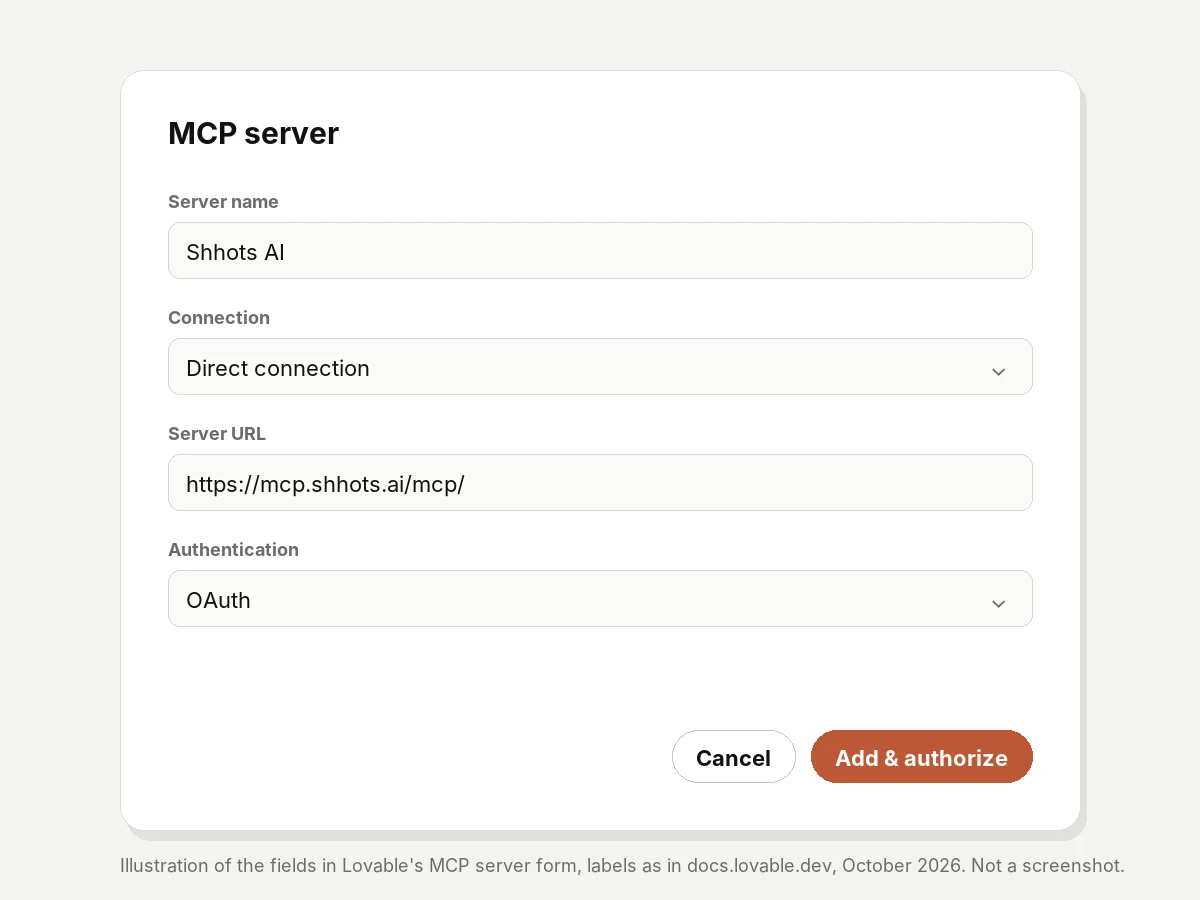
- Open the MCP form. In Lovable, open Connectors, select the + button at the top right of the catalog, and choose MCP server. If the option is greyed out, a workspace admin has turned off custom MCP servers.
- Name it. Enter
Shhots AIas the server name. - Keep the direct connection. If a Connection dropdown appears, leave it on Direct connection. The Lovable static IPs option is an Enterprise feature for servers that only accept allowlisted IPs. Shhots does not need it.
- Paste the URL. Enter
https://mcp.shhots.ai/mcp/as the Server URL and leave authentication on OAuth. - Authorize. Click Add & authorize, sign in to Shhots, and approve the connection.
Shhots now shows up in your chat connectors list. The connection is personal to you. Teammates connect their own Shhots accounts the same way.
How do you check the connection works?
Ask for something that costs nothing:
Using the Shhots AI connector, show my credit balance and plan.
That calls get_credit_balance and get_plan_details. Both only read your account. If your balance comes back, you are connected.
What can Lovable create through Shhots?
The server exposes 11 tools. Five create assets, six read your account and library. The same tools work from Claude and ChatGPT.
| Tool | Type | What it does |
|---|---|---|
generate_ugc_ad | Create | A creator-style video ad with an AI presenter speaking your script, in 12 languages |
generate_cinematic_ad | Create | A product film with camera moves, lighting and pacing |
generate_product_photoshoot | Create | Studio or lifestyle product photos from one reference image |
generate_image_ad | Create | A static image ad for feed and display placements |
animate_image | Create | Turns a still image into a short video |
list_generations | Read | Lists your past generations |
get_generation_status | Read | Checks whether a render has finished |
search_library | Read | Finds past work in your Shhots library |
get_credit_balance | Read | Credits left this month |
get_plan_details | Read | Your current Shhots plan |
estimate_credit_cost | Read | What a generation will cost before it runs |
Finished assets land in your Shhots workspace, watermark-free, with a commercial license. The AI ad prompt library has 20 prompts written for these tools.
How do approvals and credits work inside Lovable?
Every generation that spends credits passes two checks, one on each side.
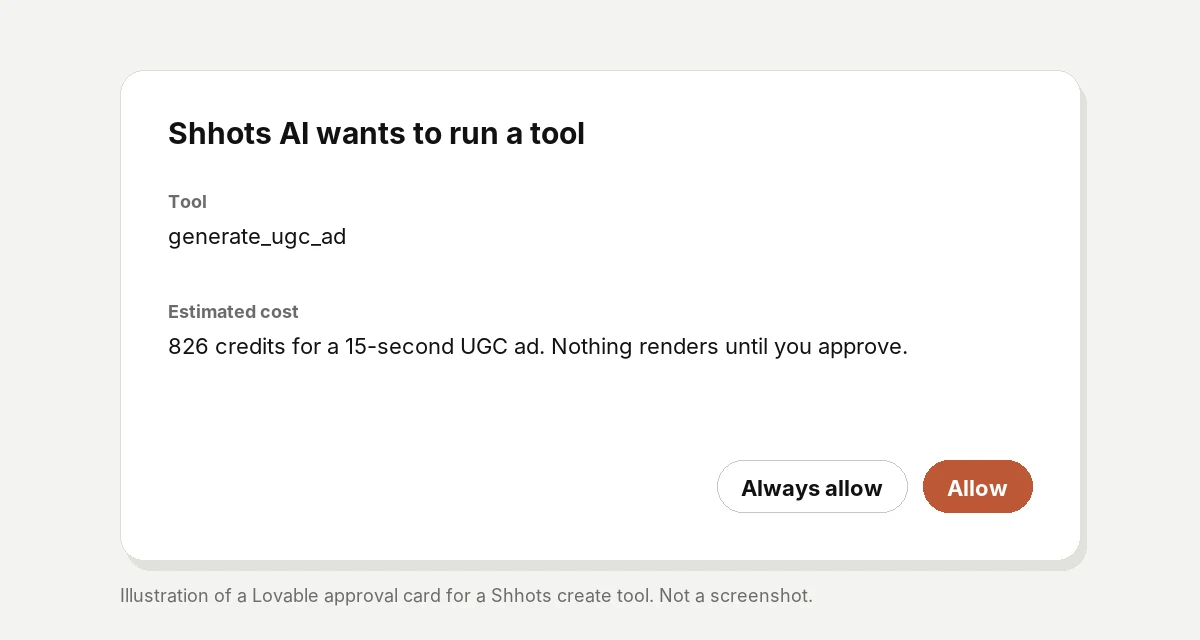
- Shhots: the assistant shows the estimated credit cost before it generates. Nothing renders until you approve.
- Lovable: tools a server marks read-only run without asking. Every other tool shows an approval card first. Always allow skips the card for one tool, and Always allow all tools from this connection skips it for the whole connection.
My setup: Always allow on the read tools, approval card kept on the create tools. A 15-second UGC ad costs 826 credits, so a Pro plan covers about seven a month. I have bought Meta ads for 8 years across 70+ brands, and one click before a render is cheap insurance.
| Generation | Credits each | Pro (6,000 credits) | Scale (12,000 credits) |
|---|---|---|---|
| Product image | 11 (a typical 4-image shoot is 45) | about 130 shoots | about 260 shoots |
| UGC ad, 10 seconds | 551 | about 10 | about 21 |
| UGC ad, 15 seconds | 826 | about 7 | about 14 |
| UGC ad, 30 seconds | 1,651 | about 3 | about 7 |
Credit costs as of October 2026, the same ones the Shhots app shows before you generate. MCP generations draw from the same monthly pool as the app, at the same rates. There is no separate MCP fee. Lovable bills its own credits for chat messages as usual, so two meters run in one conversation: Lovable credits for the chat, Shhots credits for the renders.
A launch workflow: build the page and its ads in one chat
Say you are building a landing page for a face serum in Lovable. The sequence I would run:
- Point Shhots at the product. Give it a product URL from your store, or name an image already in your Shhots library. The server keeps an active product per connection, so every follow-up in the chat works on the same product without sending it again.
- Shoot the hero. “Using Shhots AI, shoot this serum bottle on a marble counter with soft morning light, 16:9, for the hero section.”
- Make the ad set. “Create 3 UGC ad variations for the serum, 9:16 for TikTok, each with a different opening hook.”
- Add motion. “Animate the hero photo into a short video loop.”
- Check renders. Videos take 1 to 3 minutes. Ask “check the status of my Shhots renders” instead of waiting on the chat.
- Put it on the page. Download the finished hero image from your Shhots workspace, attach it in the Lovable chat, and say “use this as the hero image.” Hosting your own copy keeps the page independent of any external link.
The page and the launch creative come out of one conversation. The ad brief and the page copy stay in sync because Lovable already knows the product, the audience and the offer.
Can your published Lovable app use the Shhots MCP?
No. Lovable chat connectors only work in the project chat and in Chats. Visitors to your published app cannot reach Shhots through them.
If you are building a product on Lovable that generates ads for its own users, call the Shhots Model APIs from your app’s backend. Same engine, built for code. The MCP server is for creating from chat.
What goes wrong, and how do you fix it?
| Problem | Cause | Fix |
|---|---|---|
| The MCP server option is greyed out | Custom MCP servers are disabled in your workspace | Ask an admin to turn on the Custom MCP row under Connectors, Admin settings, Chat connectors |
| Shhots tools will not generate | Your Shhots account is on Starter | MCP access is included on Pro and Scale only |
| A teammate cannot see Shhots | Chat connections are personal | They connect with their own Shhots account |
| The video is not back yet | Renders take 1 to 3 minutes | Ask Lovable to check get_generation_status |
| An approval card on every generation | Create tools are not read-only | Working as intended. Keep it on for anything that spends credits |
FAQ
Can Lovable connect to the Shhots MCP server?
Yes. Lovable connects any remote MCP server as a custom chat connector, and Shhots runs a remote MCP server at https://mcp.shhots.ai/mcp/. You add it in Connectors and sign in with your Shhots account.
Do I need an API key or code to use Shhots in Lovable?
No. Lovable uses OAuth by default, so you sign in with your Shhots account. There is no key to copy and no code to write.
Does the Shhots MCP work on Lovable’s free plan?
On the Lovable side, yes. Custom MCP servers are available on all Lovable plans. On the Shhots side, you need Pro or Scale.
Does using Shhots through Lovable cost extra?
No extra Shhots fee. Generations use your normal monthly Shhots credits at the same rates as the app. Lovable separately charges its own credits for chat messages.
Where do ads generated from Lovable go?
Into your Shhots workspace, watermark-free and with a commercial license. From there you download them or bring them back into your Lovable project.
How do I disconnect Shhots from Lovable?
Open Connectors in Lovable and revoke the connection. You can reconnect any time with the same URL.
Connect it now
Copy the server URL from the Shhots MCP page, paste it into Lovable’s Connectors, and ask for your credit balance. When it answers, ask for your first hero shot.